Applicable models
911 from model year 2026
Taycan from model year 2026
Panamera from model year 2026
Macan Electric from model year 2024
Cayenne from model year 2026
Cayenne Electric from model year 2026
You are currently viewing content for the location:
International / English
Please select your region/language
You are currently in International
With the Data Pass, you can use the App Centre, enjoy extended entertainment services in your Porsche, and connect your devices to the internet via the in-car Wi-Fi hotspot.
911 from model year 2026
Taycan from model year 2026
Panamera from model year 2026
Macan Electric from model year 2024
Cayenne from model year 2026
Cayenne Electric from model year 2026
When you purchase a new Porsche and activate the Data Pass offered by our partner, the service is available free of charge for four years. The Data Pass is an add-on to your Porsche Connect package, offering a high-speed data allowance each month. This data can be used for the App Centre with Porsche and third-party apps, extended entertainment services and internet access via the in-car Wi-Fi hotspot* – ideal for smooth audio and video streaming.
Visit the Connect Store to check the availability for your model and country, and to learn more about the Data Pass.
If you need additional data, you can top up directly through our provider. For prices, visit the provider’s website. To access it, open the My Porsche app, tap Vehicle Details > Data Pass for your car.
After four years, you have the option to extend the Data Pass by purchasing a monthly data plan directly from the provider’s website. If you choose not to do so, you can still use your Porsche Connect services as usual (such as Navigation Plus or Remote Services) and driver assistance features (such as Digital Voice Assistant), as long as you have an active Porsche Connect package.
*Note for customers from the US and Puerto Rico: The Wi‑Fi hotspot is only available when you buy the Data Pass Premium in the Porsche Connect Store.
To access and manage your Data Pass, follow these steps:
Here, you can view the current status of your Data Pass and manage its settings.
Please note: Direct login through the network provider is not supported. All Data Pass management must be done via the My Porsche app.
Begin by activating Porsche Connect Services. During this process, you can also activate the Data Pass, which requires accepting the network provider’s legal documents and consenting to the transfer of data from your Porsche ID to the network provider. Once activation is complete, certain information from your Porsche ID is securely transferred to the network provider, and an account is created on the provider’s platform. You will receive an email notification about the account setup directly from the network provider. Your Data Pass is then automatically enabled and ready to use.
How can I activate my Data Pass later or check its status?
Here you can find all relevant details regarding the Data Pass or, if not activated yet, start the activation process.
If you have used up your data allowance, you will receive a notification in the Porsche Communication Management (PCM) infotainment system and in the My Porsche app. If you require additional data after your Data Pass is exhausted, you have the option to purchase a top-up data package. This will provide you with additional data to continue usage. The price of each package can be seen after logging into the provider portal.
Once you have successfully purchased additional data volume, you can check the data volume in the My Porsche app under the Data Pass section. The additional data volume can be used until the end of the coming month. Please make sure that your payment method is always valid, i.e., update your credit card information if the current one expires, because automatic extensions will fail otherwise.
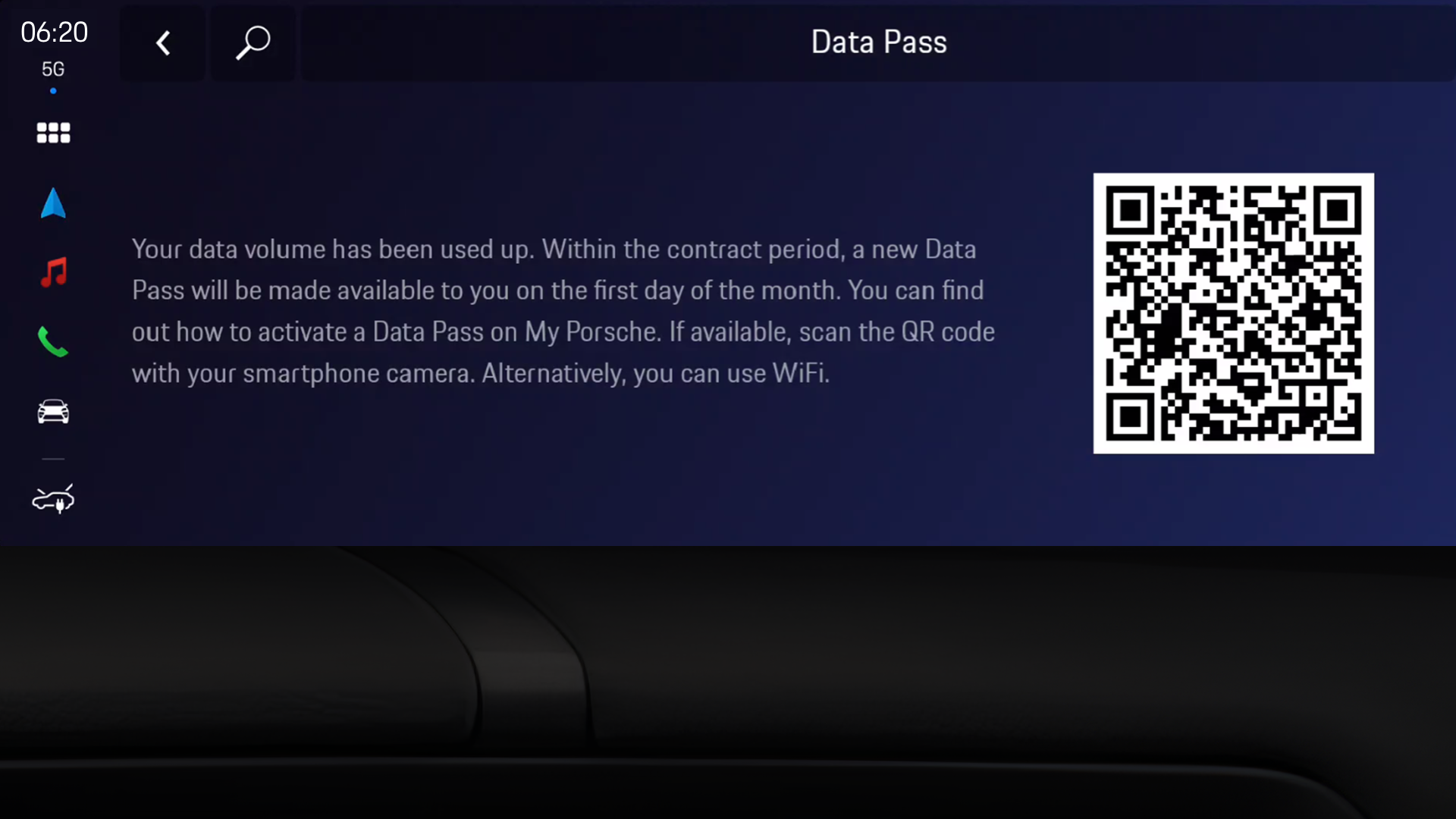
Alternatively, you can start the purchasing process for additional data volume in the PCM by accessing Settings > Connections or Phone and connections (naming may vary depending on your model) > Data Pass > scan QR code with your mobile phone > You will be redirected to the provider portal for the purchase. Please follow the instructions there. Please note, the QR code will only be shown if 80% or more data is consumed.
You can suspend your Data Pass in your My Porsche app: Tap Vehicle details for your car > Tap Data Pass > suspend/resume Data Pass by moving the Data Pass slider. By disabling the Data Pass, your car will temporarily no longer have access to the data volume of the Data Pass and it won’t be used. This action can be done to save your data volume in case other people use your car.
This action will not affect the Data Pass, however. Please note, unused data volume will be cleared after the month.
Your Data Pass is included for four years without any additional costs. After four years, you will be notified about the expiry of your Data Pass. You can then purchase monthly data plans from the provider’s website.
You can cancel your Data Pass before the next monthly renewal. To find the exact cancellation date, go to the Porsche Connect Store. You will find the date within your active contracts section.
To learn how to cancel your Data Pass, please follow the instructions in this article on how to manage your Connect Services contracts.
Please note, after your Data Pass cancellation your provider account will still exist. To delete your provider account, please contact your provider. For contact details go to My Porsche app > Vehicle details > Data Pass > You will find the contact details below.
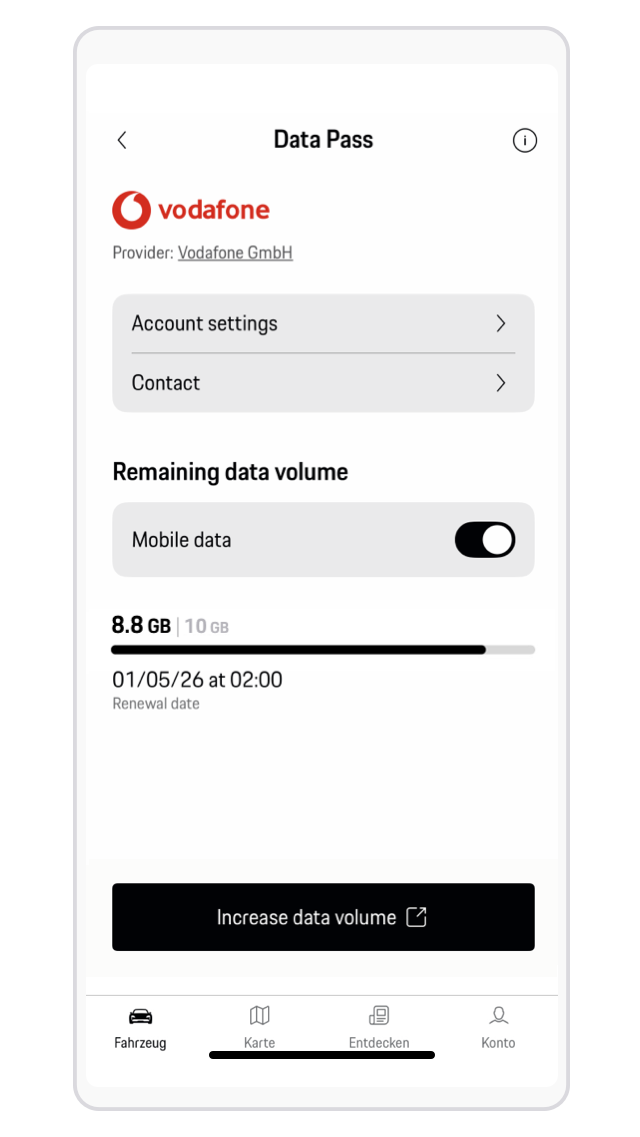
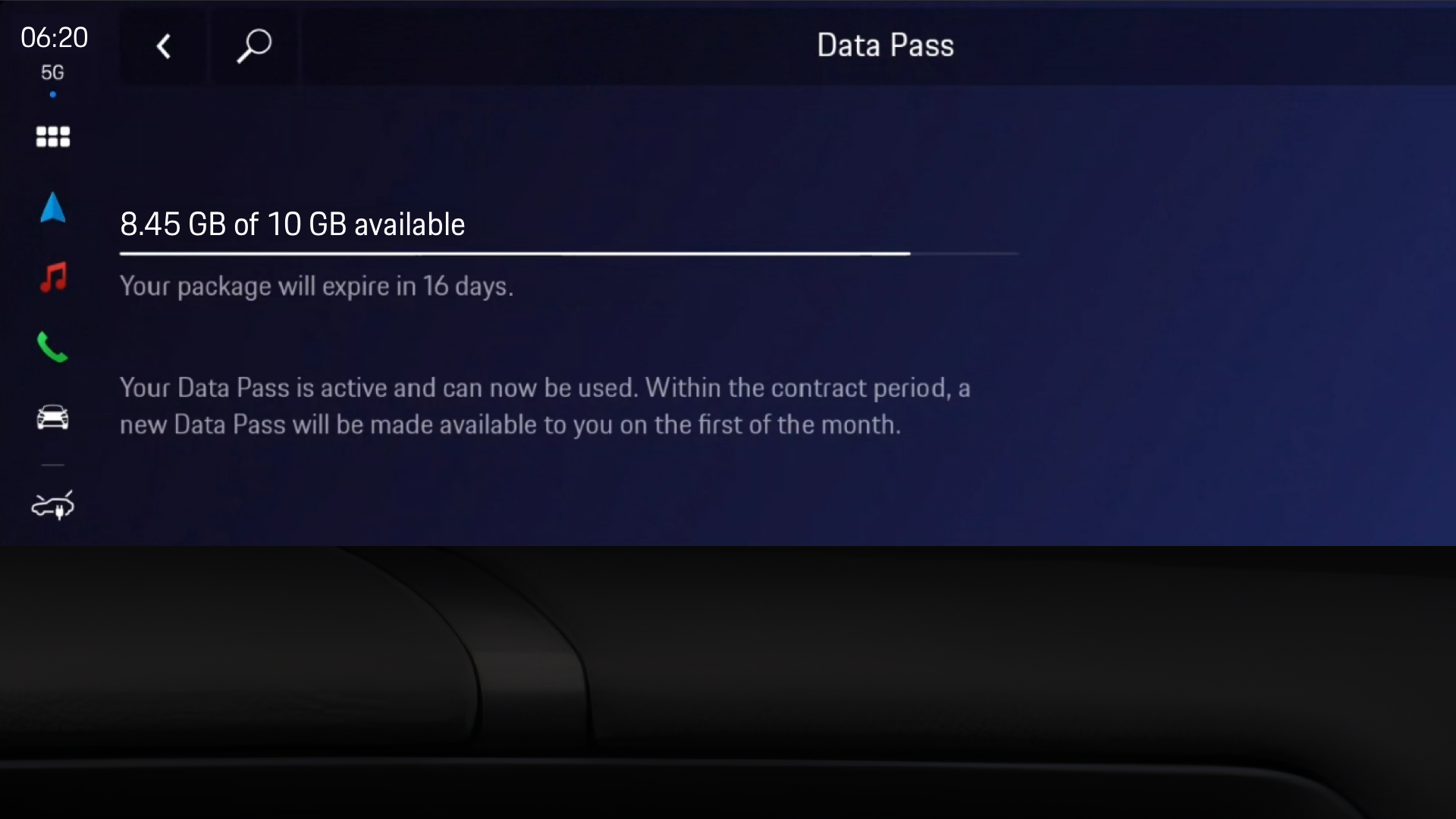
You can check your remaining data allowance in the My Porsche app or PCM.
My Porsche app
Porsche Communication Management
You will receive a notification in the PCM and My Porsche app when the data volume is used up.
In this case, a QR code is additionally displayed in the car that will lead to the data top-up option.
With the Data Pass, your car can provide a Wi-Fi hotspot for up to eight devices, allowing them to access the internet. To connect a device to the vehicle hotspot:
The Data Pass is optional, and you can activate it in addition to your Porsche Connect services.
If you want to use the App Centre, download and use third-party apps or access the Internet via the in-car Wi-Fi hotspot, we recommend you use the Data Pass. Alternatively, you can create a mobile hotspot via tethering.
Your Data Pass is linked to your Porsche ID, so it isn’t car specific. Each car supporting the Data Pass (model and model year specific) can be activated for the Data Pass and comes with included data allowance.
If your Porsche ID is linked to multiple cars that support the Data Pass, and the Data Pass is activated for all of them, the monthly data allowance will be accumulated and shared across those cars.
As an alternative to the Data Pass, you can connect your car to your smartphone's hotspot (also known as tethering) or use other available Wi-Fi networks.
To connect your car to a Wi-Fi network:
For future Wi-Fi tethering, activate the personal/mobile hotspot on your device and the PCM will automatically connect to it.
Your Porsche Connect services and driver assistance features can be used without the additional Data Pass. To ensure functionality please check if your connectivity is activated:
If you activate this option, you will no longer be in private mode.
Please make sure that you are logged in with your Porsche ID and have sufficient network coverage.
Your Porsche Connect services and driver assistance features might not work if you are in a different country. Please check if roaming is available in the Porsche Connect store in the section called Offer details.
Please check if your Porsche Connect services are activated in the PCM:
For the App Centre and entertainment apps to work you will need to be logged in, have sufficient network coverage and remaining data allowance.
If you require further guidance, we can assist you in finding the right solution.
Some of the described products, features, and processes may vary depending on the country, model, and model year.