How do I adjust the steering wheel in the Taycan?
The Multifunction Sports Steering Wheel and the GT Multifunction Sports Steering Wheel combine sporty design with well-thought-out ergonomics. The GT Multifunction Sports Steering Wheel has a more dynamic design, including a smaller steering wheel diameter and sportier grip contours. Depending on the equipment, steering wheel heating is available.
Many central functions can be operated directly from the steering wheel without taking your eyes off the road: Media and telephone, assistance functions, displays in the instrument cluster and various driving modes.
Table of Contents
Applicable models Layout Steering Wheel Adjustment Right Rotary Toggle (Toggle Button) Driver Assistance Control Lever Joker Button
Layout
Right Steering Wheel Spoke
Below the Left Spoke
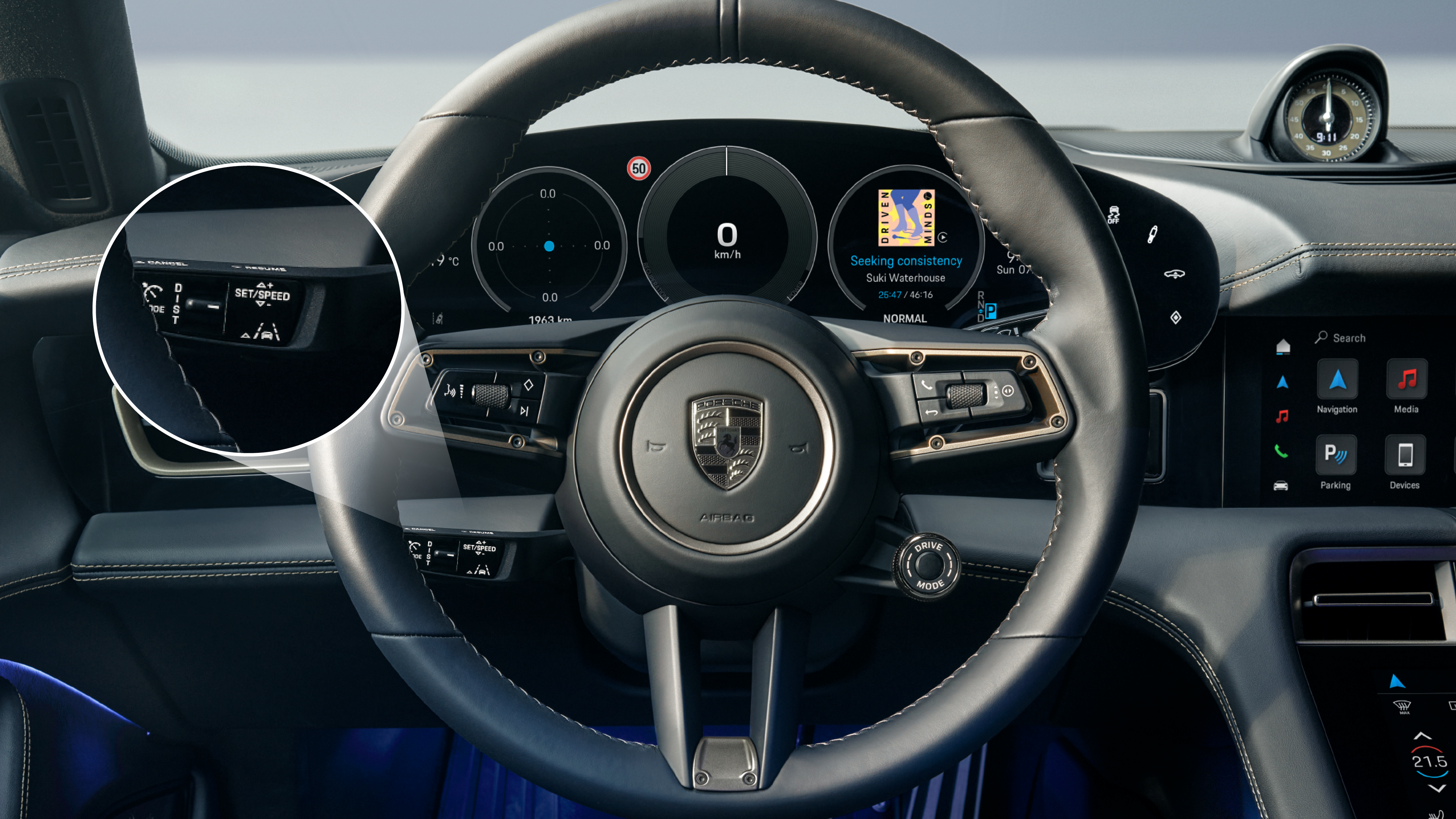
Driver Assistance Control Lever: Serves for intuitive operation of the driver assistance systems while driving
Below the Right Spoke
Bottom Center Spoke
Steering Wheel Heating: Toggle on/off
Left Steering Wheel Spoke
Steering Wheel Adjustment
Manual Adjustment
Electric Adjustment (Optional)
In the optional version, the steering column can be adjusted electrically and continuously in height and depth. Control is via a small switch located to the left under the steering wheel.
Memory Package (Optional)
If your Taycan is equipped with the optional Memory Package, the steering wheel position is automatically linked to the selected driver profile - along with seat, mirror, and climate settings.
For more information, visit: Personalisation
Right Rotary Toggle (Toggle Button)
The toggle button, located on the right steering wheel spoke, allows you to control the instrument cluster display content:
The content displayed is context-dependent and adapts to the active screen area.
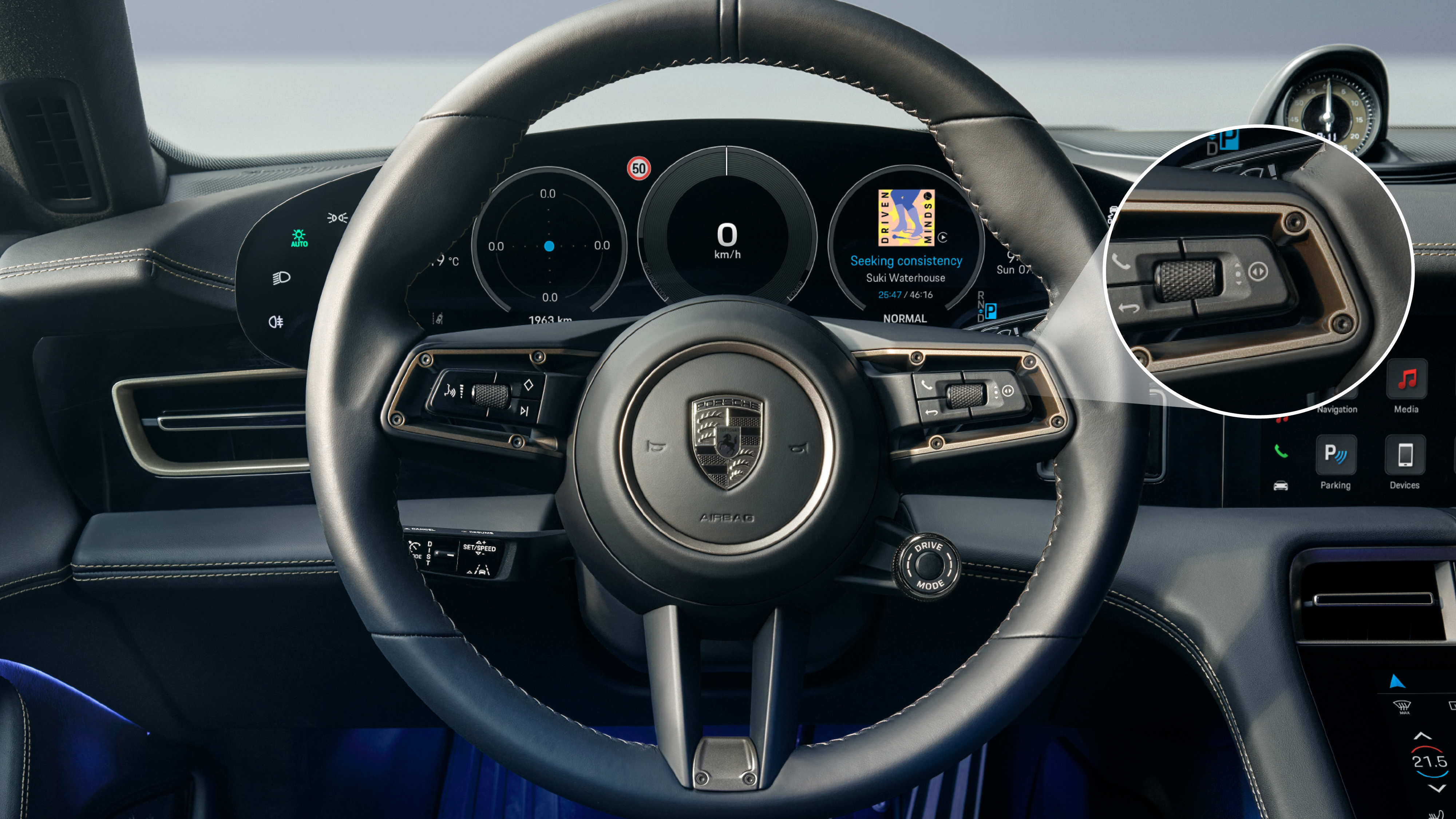
Driver Assistance Control Lever
The Driver Assistance Control Lever is located below the left steering wheel spoke. It provides intuitive control of the most important assistance systems while driving. This ensures you have all systems under control without taking your eyes off the road.
The current settings are shown in the instrument cluster. Driver assistance settings can be adjusted in the PCM under: Car > Assistance
Joker Button
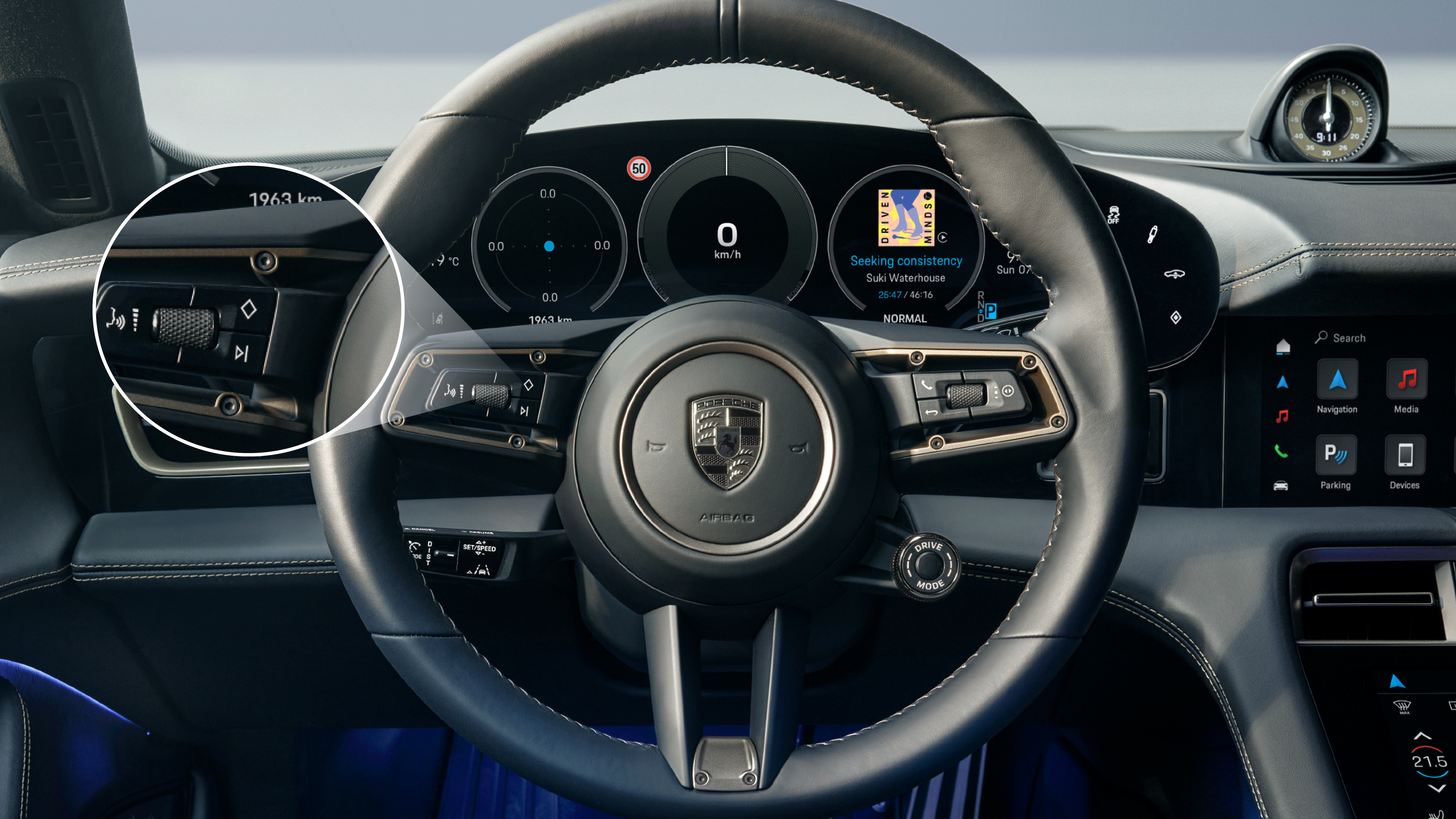
The so-called Quick Access or Joker Button, identified by a ♦ symbol, is located on the left side of your steering wheel and can be customised to suit your needs. It provides fast access to your preferred functions.
Examples of configurable functions:
To access the configuration menu, press and hold the Joker Button. The corresponding menu will open in the PCM.
More information
For detailed operating instructions, refer to the Owner's Manual.
Consumption and Emissions
Taycan (WLTP)*: Electrical consumption combined (model range): 3.6 - 3.2 mi/kWh, Range combined (model range): 372 – 422 miles, CO2 emissions combined* (model range): 0 g/km
Get help on Ask Porsche
Find answers to questions about your Porsche.