How do I use the driver assistance control lever (DAS lever) in the Taycan?
The Taycan is equipped with a wide range of high-tech assistance systems that ensure a safe and comfortable drive. These include lane change assist, parking assist and active lane guidance.
Table of Contents
Applicable models Direct Access via Driver Assistance Control Lever Configuration
Direct Access via Driver Assistance Control Lever
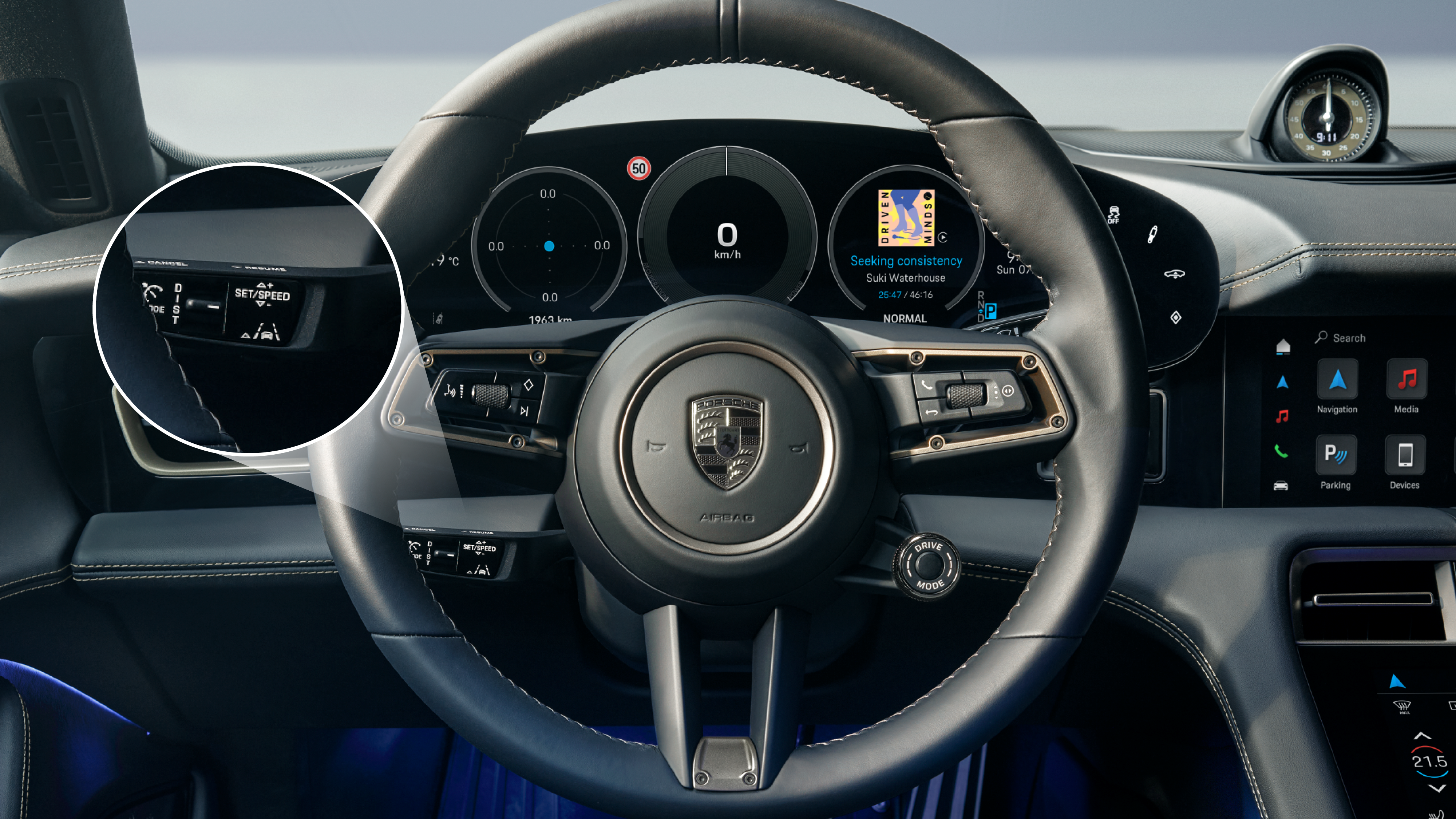
The Driver Assistance Control Lever on the steering wheel is a central control unit for the most important driver assistance systems. It is located below the left-hand steering wheel spoke and can therefore be easily operated while driving.
The various settings that are made when the lever is operated are displayed in the instrument cluster. Using the mode switch, assistance functions can be selected directly via pop-ups in the instrument cluster and then configured in the PCM.
Detailed instructions on operating the Driver Assistance Control Lever can be found Owner's Manual.
Configuration
The driver assistance systems can be individually activated or deactivated in the Porsche Communication Management (PCM):
Car > Assistance
Many settings are saved in your Porsche ID profile and loaded automatically when you get into the car. Other systems (e.g. cruise warning) can be reactivated automatically each time you start driving.
Consumption and Emissions
Taycan (WLTP)*: Electrical consumption combined (model range): 3.6 - 3.2 mi/kWh, Range combined (model range): 372 – 422 miles, CO2 emissions combined* (model range): 0 g/km
Get help on Ask Porsche
Find answers to questions about your Porsche.