You are currently viewing content for the location:

United States / English

Close country selector banner

How to enable Plug & Charge in your Porsche Macan Electric or Cayenne Electric

Plug & Charge allows you to conveniently charge your all-electric Macan or Cayenne without using an app, card or other external identification. At compatible charging stations, your car automatically communicates with the charger to begin the charging and billing processes.

Table of Content

  1. Steps to enable Plug & Charge 
  2. 1. How to activate Plug & Charge 
  3. 2. How to install a Plug & Charge certificate 
  4. Additional Information

Steps to enable Plug & Charge 

To use Plug & Charge you will need to first complete the following steps:

Activate Plug & Charge in your car.Install the certificate from your active charging contract via the My Porsche app.

1. How to activate Plug & Charge 

Before you start, make sure:

You're logged into your car with your Porsche ID.Your vehicle is online.Porsche Connect Services are activated.If using Porsche Charging Service, it has been activated.


You’ll then be able to continue the activation of Plug & Charge in the Porsche Communication Management (PCM) or in the My Porsche app:

Porsche Communication Management (PCM)

Macan Electric

From the home screen, click Charging > Settings.Activate Plug & Charge by moving the slider to the right.Continue to step 2 “How to install a Plug & Charge certificate”.

Cayenne Electric

From the home screen, select the vehicle image, then click Charging.You can also access charging settings by selecting the Settings tile in the app drawer, then clicking on Charging on the left side of the screen.Click on Plug and charging station.Activate Plug & Charge by moving the slider to the right.Continue to step 2 “How to install a Plug & Charge certificate”.

My Porsche app

Open the My Porsche app. If you have more than one car, tap on your car’s name and then select the correct one.Scroll down on the home screen and tap the Charging widget.Next, tap on the settings icon in the upper right corner to access the charging settings.Move the Plug & Charge toggle to the right to activate Plug & Charge (moving it to the left deactivates Plug & Charge). If the Plug & Charge toggle is grayed out, please contact our Porsche Customer Service (details below) for support.Proceed with step 2 “How to install a Plug & Charge certificate”.

2. How to install a Plug & Charge certificate 

After activating Plug & Charge, install your Porsche Charging Service contract certificate. Alternatively, you can install a certificate from a Mobility Service Provider (MSP) that offers Plug & Charge-enabled stations. The MSP will create a Plug & Charge certificate available for installation in the My Porsche app.

Note: Although multiple certificates may exist for one car, only one can be installed at a time.

Steps to install a certificate:

Open the My Porsche app.If you have more than one car, tap your car’s name, then select the correct one.Scroll down on the home screen and tap the Charging widget.Tap on the settings icon in the top right-hand corner to access the Charging Settings.Tap Manage certificates.Select the relevant certificate.Tap Install.

Depending on your car’s reception, installing a contract certificate may take up to one minute.


Additional Information

How do I uninstall a Plug & Charge certificate?

Open the My Porsche app.If you have more than one car, tap your car’s name, then select the correct one.Scroll down on the home screen and tap the Charging widget.Tap on the settings icon in the upper-right corner to access the charging settings.Tap Manage certificates.Tap Uninstall for the certificate you want to remove.Confirm by pressing Uninstall.

I’ve received an error for an update or a contract deletion. Why didn’t it work – and what can I do?

Privacy Mode may prevent a certificate from updating. To deactivate Privacy Mode, refer to What is Porsche Privacy Mode and what’s it used for?. You also need to ensure that your car has an active internet connection. For example, if it’s parked in an underground garage, it may be offline.

Why is Plug & Charge charging not working?

Not all charging stations are compatible with Plug & Charge. Your My Porsche app will be able to tell you whether a particular charging station supports Plug & Charge. Here’s how to find out:
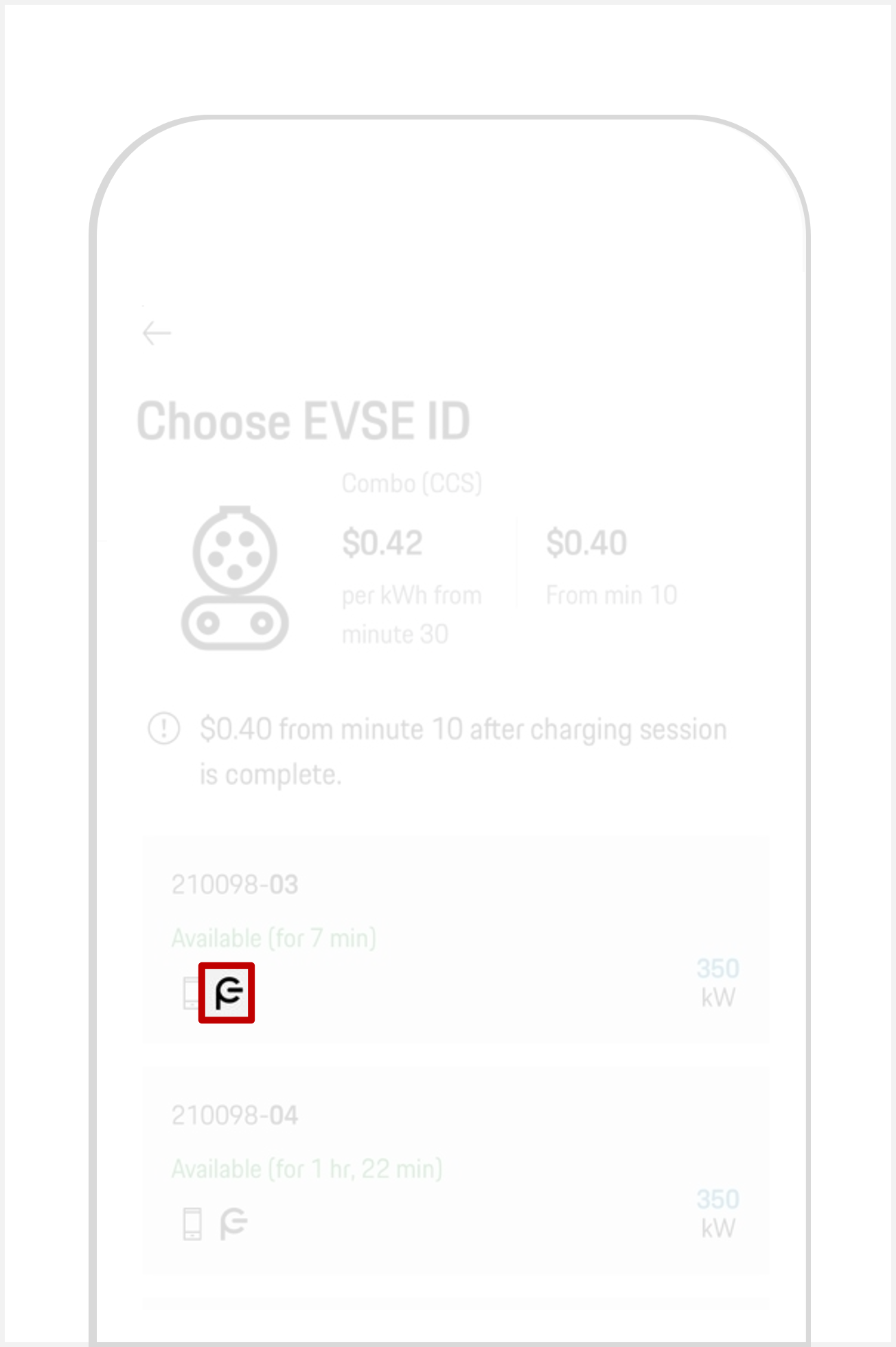
Open the My Porsche app. Tap Map (navigation arrow in the bottom navigation bar) and enter your location.Tap show charging stations (at the top of the map).Tap the desired charging station.Tapon the name and address box.Tap the correct plug type. Tap the relevant EVSE-ID. A Plug & Charge icon (see the image below) will then show whether Plug & Charge is supported or not.

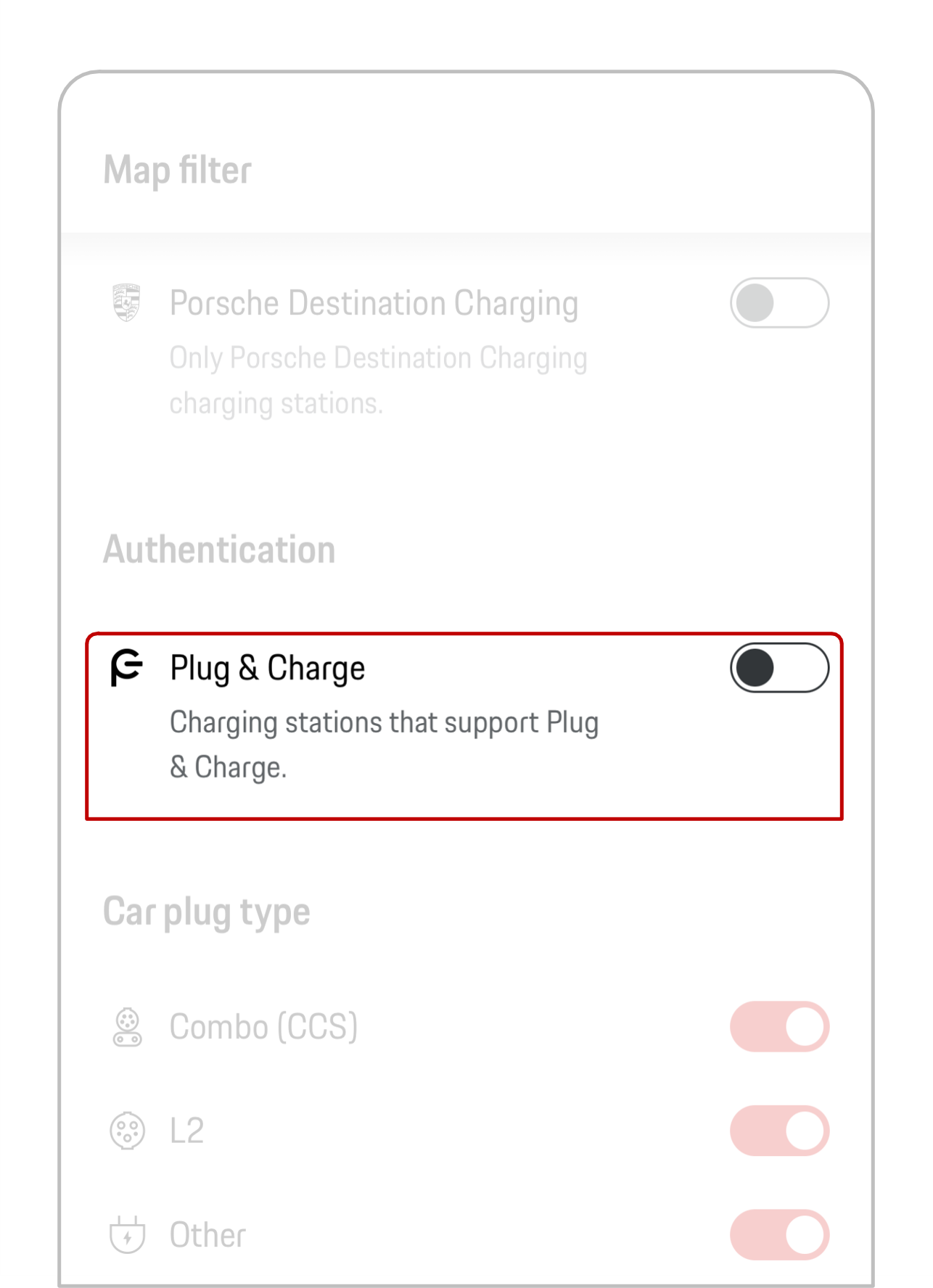
You can also set a map filter to show only Plug & Charge-compatible stations, curated by the Porsche Charging Service.
If Plug & Charge is activated in the Porsche Communication Management (PCM), your Porsche Charging Service contract certificate is installed and Plug & Charge is supported by the charging station, and yet an error still occurs while trying to activate a session via Plug & Charge, the car will turn on compatibility mode.

Compatibility mode allows you to charge at incompatible charging stations via alternative authentication methods — My Porsche app, credit card reader, etc. — and turns off automatically on when the vehicle is restarted.

You can also start the compatibility mode manually.

For Macan Electric

Make sure the charging cable is not plugged in.In your PCM: Home > Charging > Settings icon.Tap Compatibility Mode.Start the charging process manually.

For Cayenne Electric

Make sure the charging cable is not plugged in.From the home screen, click on the image of the car, then select the Charging button.You can also access charging settings by clicking on the Settings tile in the app drawer, then click Charging on the left-hand side of the screen.Click on Plug and charging station.Activate Compatibility mode by moving the slider to the right.

Alternatively, you can turn on compatibility mode by pressing and holding the release button at the vehicle charge port for 3 seconds.

What is the difference between Plug & Charge and AutoCharge authentication (relevant for customers in Europe)?

Plug & Charge and AutoCharge work in a very similar way: once you plug in the charging cable, the car authenticates automatically and the charging session starts without any additional steps. However, the two systems rely on different underlying technologies, and not every charging operator supports both.

Please note:

AutoCharge exclusively works at EnBW owned charging stations in Germany and Fastned owned charging stations across Europe.EnBW and Fastned don't support Plug & Charge.This means Plug & Charge can't be used with your Porsche at EnBW or Fastned charging stations.

What alternatives are available to Plug & Charge?

If you're not using Plug & Charge to charge at a public charging station, there are different unlocking and authentication methods available.

How can I deactivate Plug & Charge?

Selected charging stations can be unlocked using Plug & Charge by simply plugging the charging cable into your vehicle. In the event of any further compatibility issues with a specific charging station, or if you don’t wish to use Plug & Charge, the feature can be deactivated in your car's Porsche Communication Management (PCM) to start the charging process manually:

For the Macan Electric

From the home screen, click Charging > Settings.Deactivate Plug & Charge by moving the slider to the left.

For the Cayenne Electric

From the home screen, select the image of the car, then click the Charging button.Alternatively, the Charging settings can be accessed by clicking on the Settings tile in the app drawer, then click on Charging on the left-hand side of the screen.Click on Plug and charging station.Deactivate Plug & Charge by moving the slider to the left.

Need further help?

If you require further guidance, we can assist you in finding the right solution.

Did you find what you were looking for?