You are currently viewing content for the location:

United States / English

Please select your region/language

You are currently in United States

United States
Close country selector banner

How can I get an overview of my charging history?

Your Porsche charging history includes all public charging operations in your current charging contract. You can see an overview of your charging statistics in the My Porsche app.

Table of Content

  1. Where can I find my charging history?
  2. Where can I find Porsche Charging Service prices?
  3. How can I get an overview of my Porsche Charging Service contract?
  4. Where can I find my Porsche Wallbox charging history?

Where can I find my charging history?

An overview of your completed charging sessions can be found in the My Porsche app.

Open the My Porsche app on your phone. Scroll down on the home screen and tap the Charging widget. Go to Charging Service.Select History.

Here you will find all your public charging sessions in chronological order with details of dates, charging stations and total amount of the charging process. Tap a transaction to access all relevant details of the charging transaction.
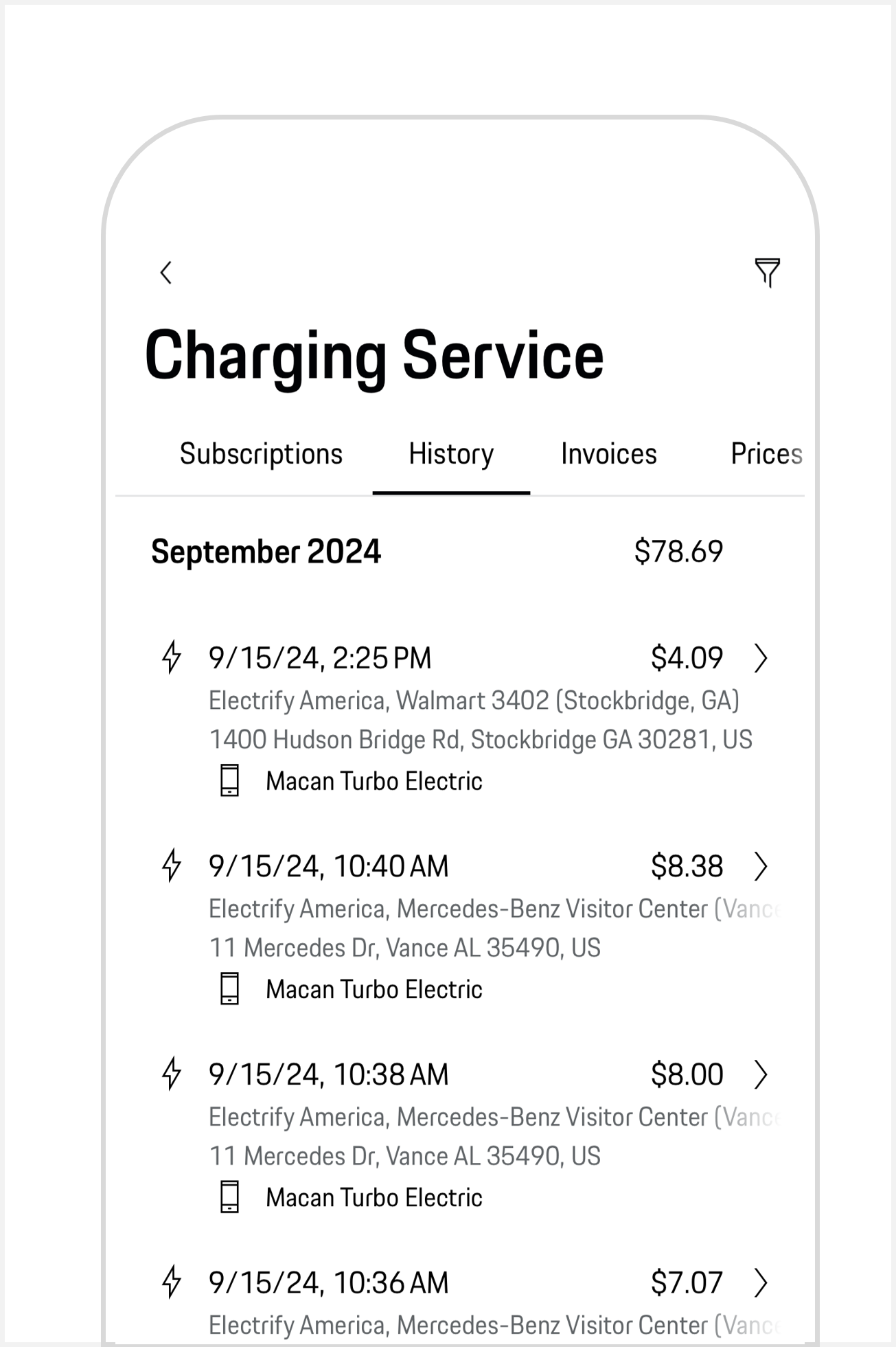
An overview of Porsche Charging History in the My Porsche app

Where can I find Porsche Charging Service prices?

You can get information about Porsche Charging Service pricing in the My Porsche app.

Open the My Porsche app on your phone. Scroll down on the home screen and tap the Charging widget. Go to Charging Service.Select Prices.

How can I get an overview of my Porsche Charging Service contract?

You can find information about your Porsche Charging Service contract in the My Porsche app.

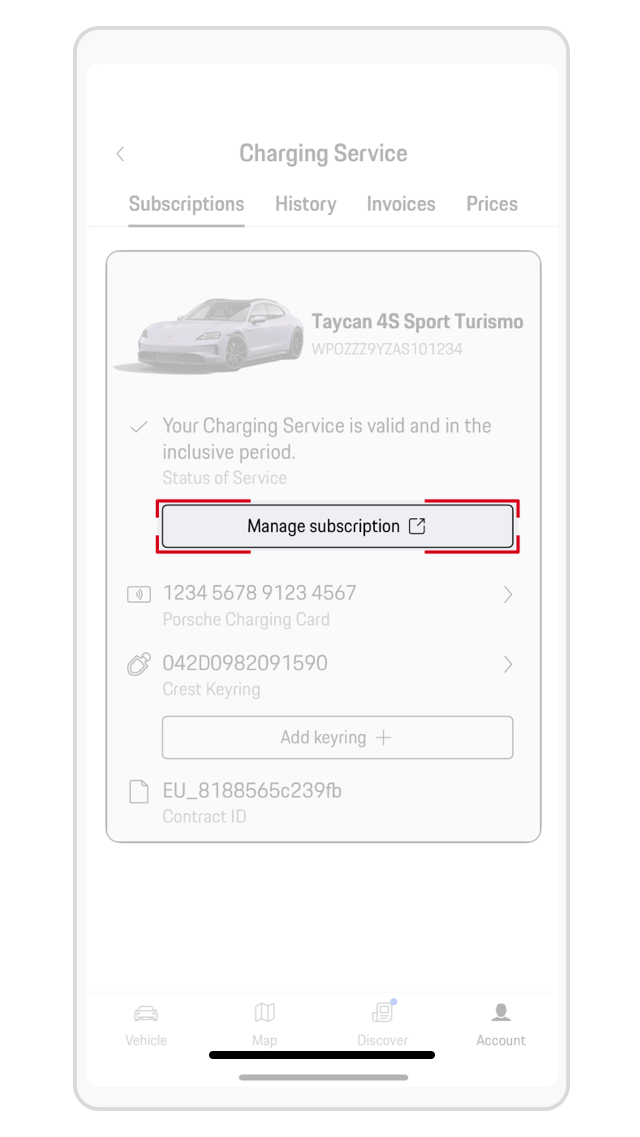
Open the My Porsche app on your phone. Scroll down on the home screen and tap the Charging widget. Go to Charging Service.Under Subscriptions, you’ll find the status of your Charging Service contract.Tap Manage subscription for more details.

My Porsche app Charging Service contract

Where can I find my Porsche Wallbox charging history?

Beyond public charging, you can view your completed home charging sessions with your Porsche Wallbox.

Use the My Porsche app:

Open the My Porsche app on your phone.Scroll down on the home screen and tap the Charging widget.Go to Charging equipment.Tap Show charging history.

View all your home charging sessions in chronological order, including dates and total energy delivered. Tap any session to view its details.

Would you like to help us improve Ask Porsche?
No