What do I need to do to use Android Auto with my Porsche?
To get started with Android Auto, ensure your smartphone meets the following requirements:
You are currently viewing content for the location:
United States / English
Please select your region/language
You are currently in United States
With Android Auto, some of the functions and apps of an Android smartphone are made available in your Porsche Communication Management (PCM) infotainment system.
This article applies to:
Taycan model years 2020- present
Cayenne model years 2022- present
911 (992) model years 2022- present
Panamera model years 2022- present
Macan Electric model years 2024- present
To get started with Android Auto, ensure your smartphone meets the following requirements:
To enable wireless connection:
On your vehicle’s PCM press Home > Devices > Tap the Android Auto icon of the connected smartphone.
Wireless Android Auto will now be ended.
Spot On is a video series that explains different features of your Porsche. In this episode, discover how to use Android Auto to enjoy a seamless connection between your Porsche and your phone.
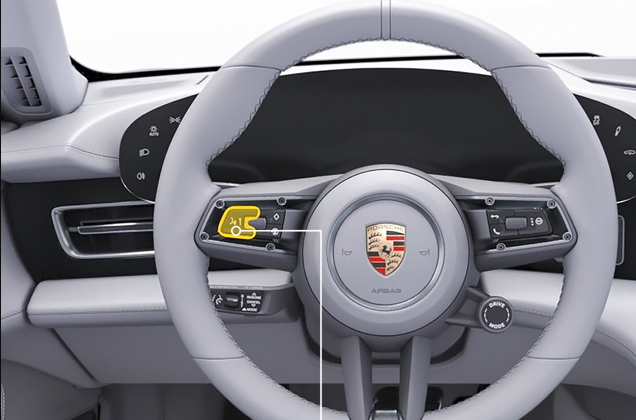
To operate Google Assistant:
To start Google Assistant:
To end Google Assistant, press the Voice Control button again.
If you require further guidance, we can assist you in finding the right solution.