Where can I find my Porsche Connect invoices?
You can view and download your invoices for Connect services in My Porsche.
This article applies to all models
1. Go to Bookings & Orders (login required).
2. Optionally, click Filter > Connect > Show orders to filter for Connect invoices only.
3. Open the relevant order by clicking the button See details.
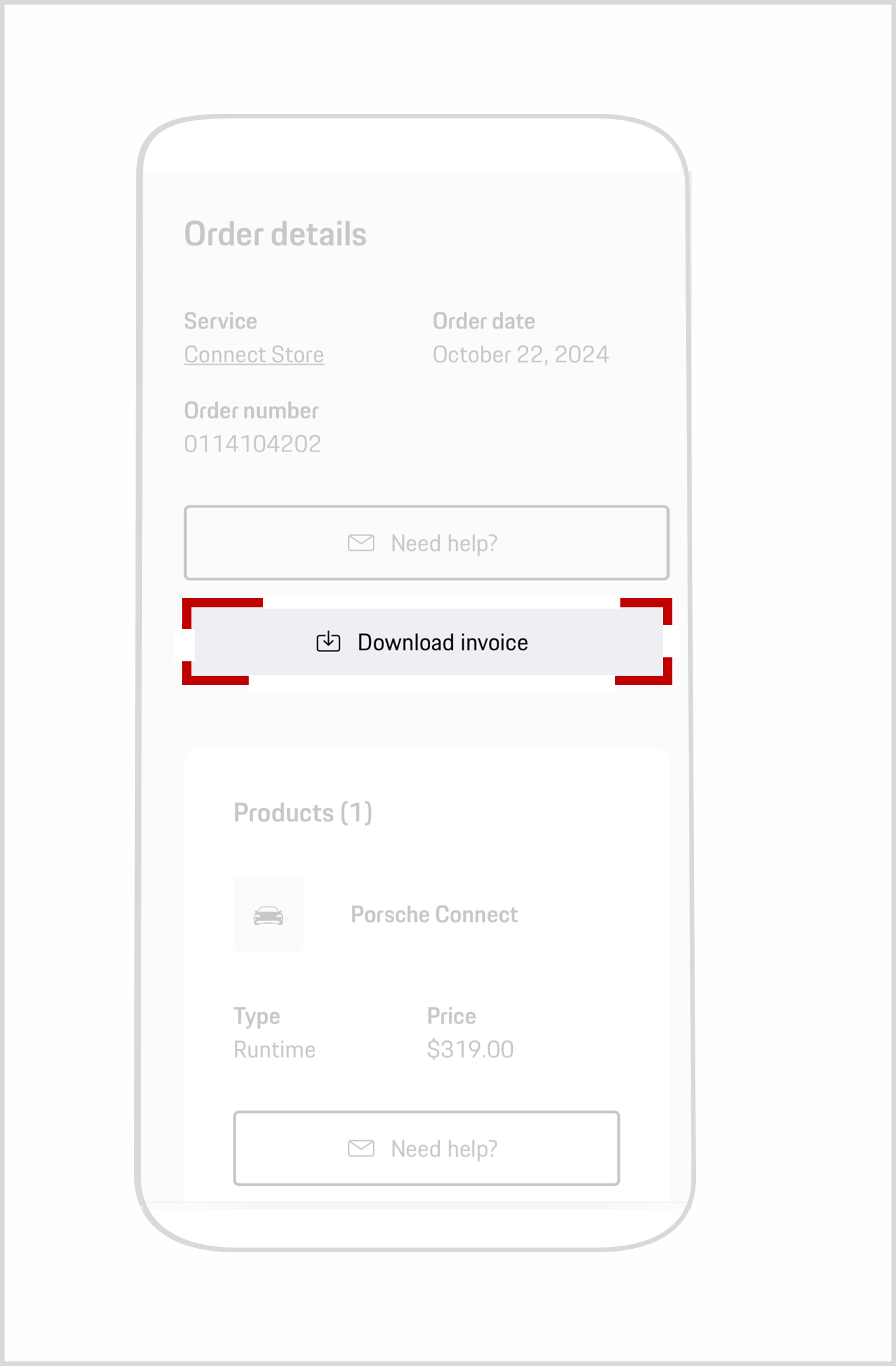
4. To download your Porsche Connect invoice as a PDF file, click on the button Download invoice.
As soon as a new invoice is available, you will receive a notification in My Porsche and via email. The notification allows you to download the invoice directly by clicking the attachment.
Note: Invoices for the Porsche Charging Service are also accessible in the Messages area of the My Porsche web portal. For further details, please see Where can I find the charging invoices for my Porsche?
What should I do if I’m missing a Porsche invoice?
Invoices are only generated for paid services, not for Porsche Connect services that are free, such as orders for inclusive periods.
Invoices will be created only after successful activation of a paid service. If activation is delayed, invoicing will also be delayed. The reason for the delay of an activation can be, for example, a missing mobile connection.
If you can’t find your invoice, please:
Need further help?
If you require further guidance, we can assist you in finding the right solution.