Surround View incl. Active Parking Assistance (up to MY S, 2025)
The optional Surround View incl. Active Parking Assistance expands the standard Park Assist front and rear incl. reversing camera with a high-resolution 360° environment view. Ideal for tight parking spaces, curbs, or poorly visible exits.
Table of Contents
Applicable models Function Operation Configuration Trailer Maneuvering Assist
Function
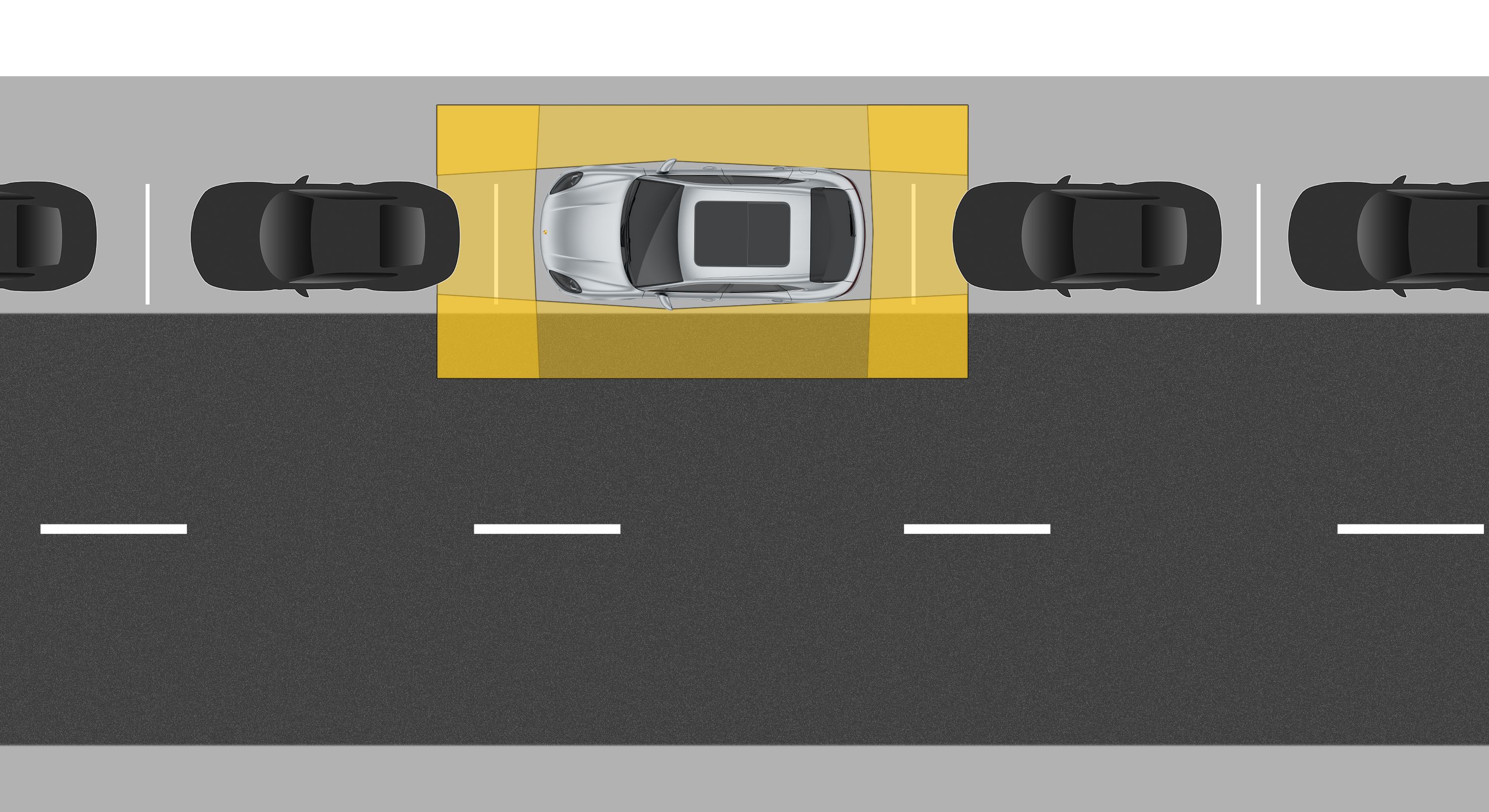
Four HD cameras create a virtual bird’s-eye view in the PCM. A special intersection view using the front and rear cameras also assists with cautious rolling forward when visibility is limited.
The Active Parking Assistance system detects suitable parallel and perpendicular parking spaces and automatically measures them. Once a suitable space is found, the system can take over steering, as well as forward and reverse movement upon request. You only need to monitor the process.
Operation
Surround View is activated automatically when reverse gear is engaged.
Alternatively, the system can be activated manually via Parking > Surround View on the central display or by tapping the camera icon.
The desired camera perspective (e.g. front, rear or side view) is selected directly in the centre display using the view icons.
Active Parking Assistance can detect suitable parking spaces and take over parking and manoeuvring within the system limits. The driver remains responsible at all times.
Configuration
How to configure Surround View incl. Active Parking Assistance via PCM:
Parking > Show Surroundings
When Surround View is activated, the following functions, among others, can be customised using the symbols in the central display:
Trailer Maneuvering Assist
This assistance system also includes Trailer Maneuvering Assist, which supports you when reversing with a trailer.
After activating the system in the PCM (press the trailer icon), set your desired steering angle by swiping within the pivot range on the central display. Then, while in reverse, you only control the accelerator and brake - the system handles the steering.
If the angle becomes too tight, the system issues visual and acoustic warnings and will initiate automatic braking in critical situations.
For detailed instructions on how to use Trailer Maneuvering Assist, see the Owner’s Manual.
Consumption and Emissions
Electrical consumption combined (WLTP)*: 21.1 – 17.9 kWh/100 km, CO₂-emissions combined (WLTP)*: 0 g/km
Get help on Ask Porsche
Find answers to questions about your Porsche.