How do I enable Plug & Charge in my Porsche Taycan?
Plug & Charge allows you to conveniently charge your Taycan without the need for external identification – such as an app, RFID card or credit card – at the charger. After plugging in the charging cable, your car will automatically communicate with the Plug & Charge-enabled charging station and allow the charging process to start automatically.
Table of Contents
Applicable models 1. How to activate Plug & Charge 2. How to activate the Porsche Charging Service and install the Plug & Charge certificate Frequently asked questions
To use Plug & Charge you’ll need to complete the following two steps:
1. How to activate Plug & Charge
Here’s how to activate Plug & Charge in the Porsche Communication Management (PCM) of your car:
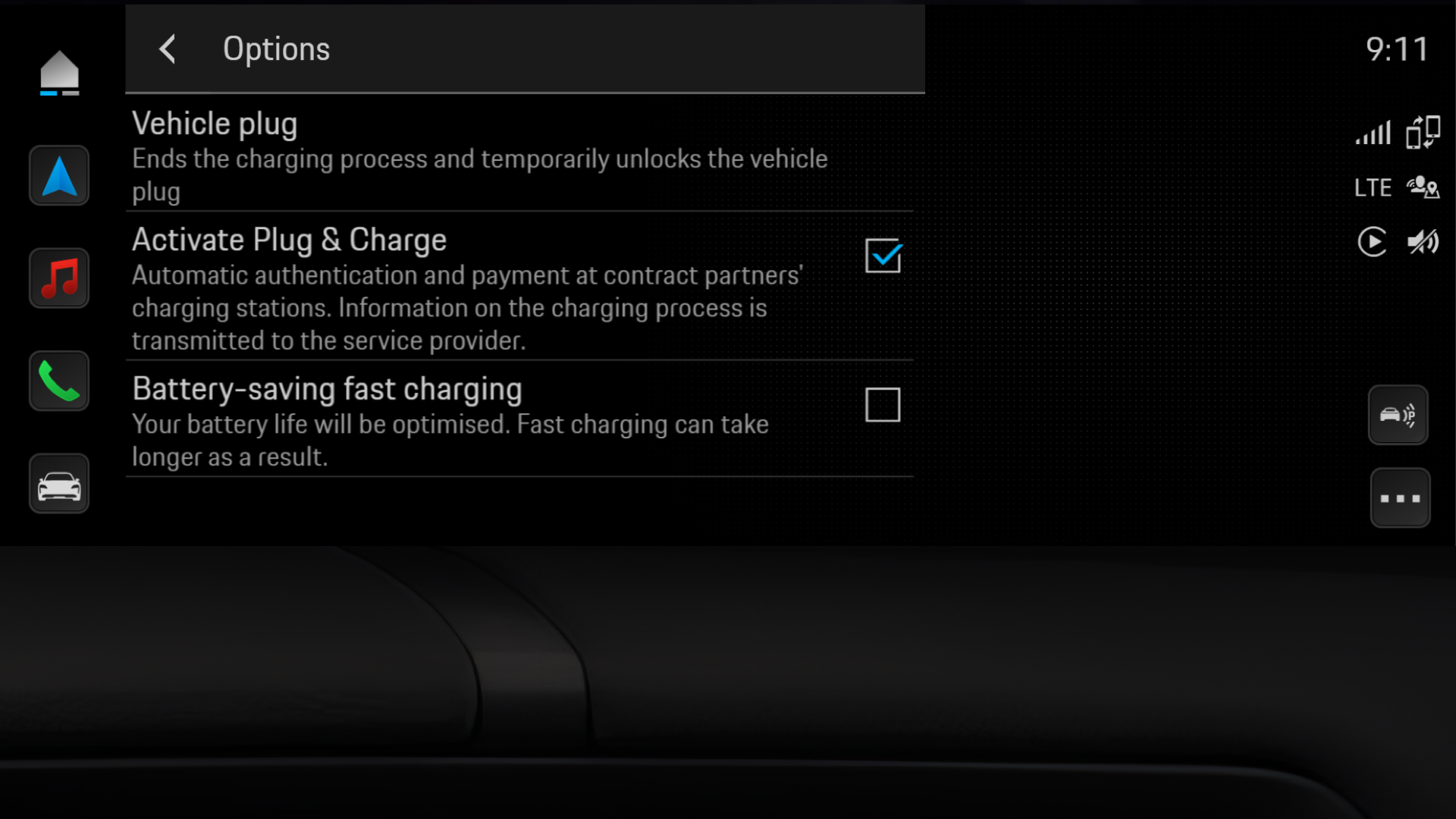
Please note:
2. How to activate the Porsche Charging Service and install the Plug & Charge certificate
There’s no need to manually install a certificate with the Porsche Charging Service. After the Porsche Charging Service and Plug & Charge in the PCM of your car have been activated, you’re all set to charge. For more details about how to activate the Porsche Charging Service, please visit How can I manage my Porsche Charging Service?.
Frequently asked questions
How do I skip Plug & Charge authorisation if I don’t want to use it?
If you don’t want to use Plug & Charge, there are two valid options open to you:
Can I uninstall an installed contract certificate?
Generally, all user associated data – including the contract certificate – is deleted when there is a factory reset of the car. This can be used if the car is offered for sale, for instance. In such circumstances, it’s also important to cancel the Charging Service, otherwise a new certificate will be installed when driving to a compatible charging station.
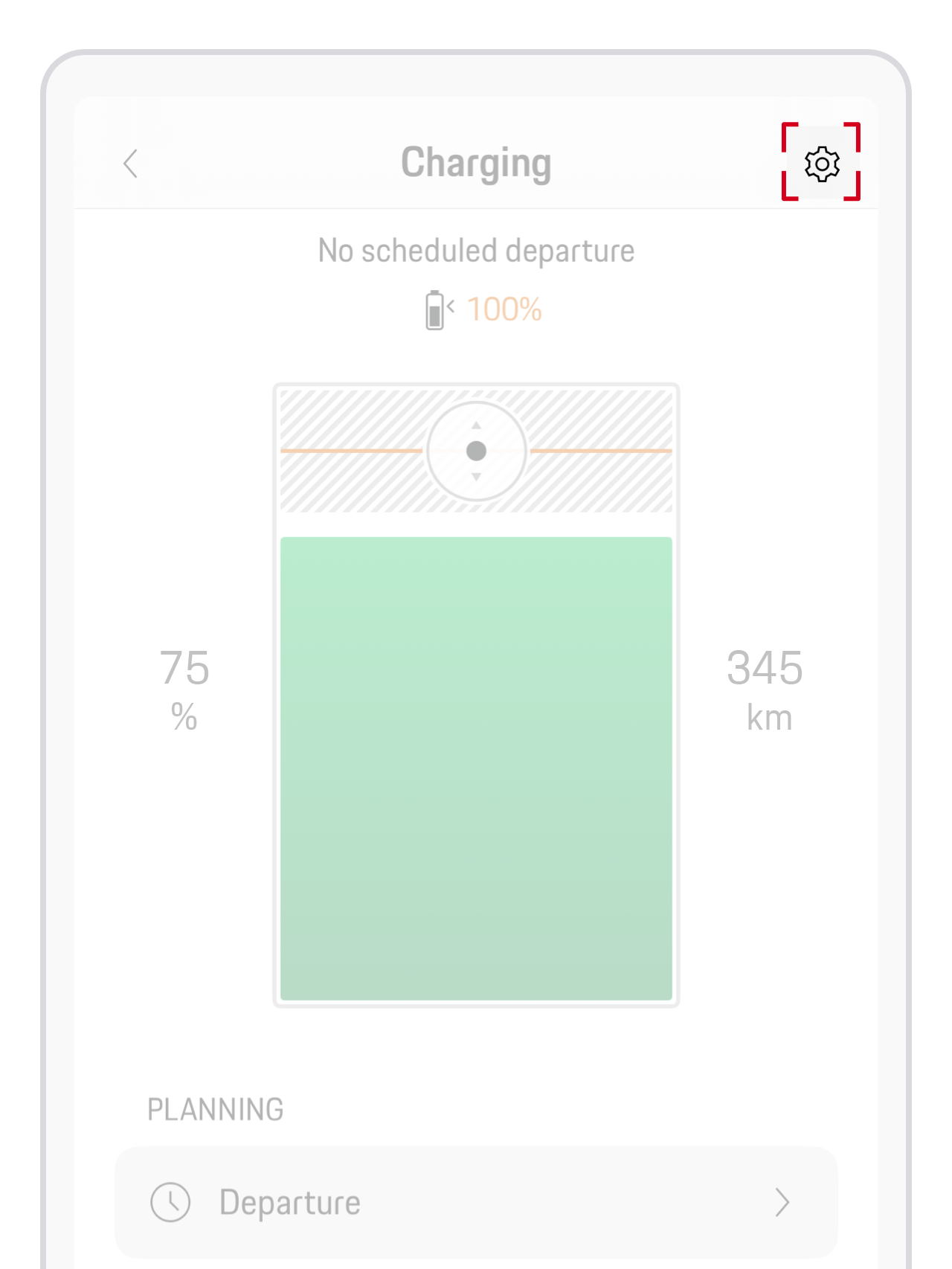
If you only want to uninstall the contract certificate, you can do so by using the My Porsche app. Here’s how:
Why is Plug & Charge not working?
A) Plug & Charge is not supported by a particular charging station
Not all charging stations are compatible with Plug & Charge. You'll be able to tell whether a particular charging station supports Plug & Charge in the My Porsche app. Here’s how to find out:
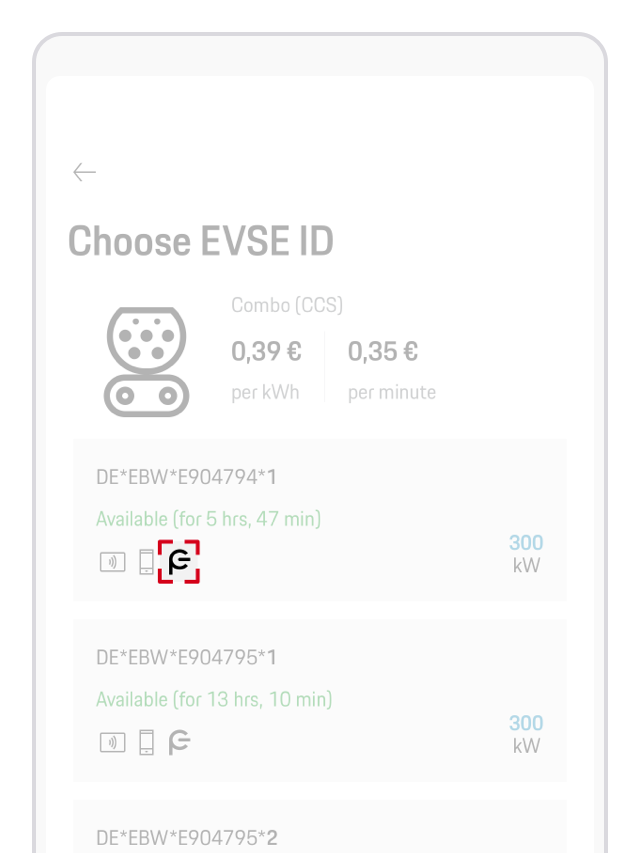
You can also set a filter on the map view in the My Porsche app to only see chargers that offer Plug & Charge. This list is curated by the Porsche Charging Service.

If Plug & Charge is activated in the Porsche Communication Management (PCM), your Porsche Charging Service contract certificate is installed and Plug & Charge is supported by the charging station, and yet an error occurs while trying to start charging, the charging station automatically turns on the compatibility mode.
Compatibility mode allows you to charge at charging stations that are not fully compatible with Plug & Charge. It turns off automatically when you restart the vehicle or change gears.
You can also start the compatibility mode manually. Before doing so, make sure that charging cable isn’t plugged in.
Alternatively, you can turn on compatibility mode by pressing and holding the release button at the vehicle charge port for 3 seconds.
Please note: While compatibility mode is active, the Plug & Charge function is not available. For your next charging attempt, you’ll need to use an alternative authentication method.
B) An outdated contract certificate is installed in the vehicle
If Plug & Charge is activated in the Porsche Communication Management (PCM), you have an active Plug & Charge contract and Plug & Charge is supported by the charging station, but you’re are still experiencing issues while trying to start charging, there’s a high likelihood that it could be due to an outdated contract certificate in your car.
In order to examine this potential reason, you will need to delete the existing contract certificate in the car. This can be done using one the following two methods:
For more support, please contact our Porsche Customer Service (details below).
What is the difference between Plug & Charge and AutoCharge authentication (relevant for customers in Europe)?
Plug & Charge and AutoCharge work in a very similar way: once you plug in the charging cable, the car authenticates automatically and the charging session starts without any additional steps. However, the two systems rely on different underlying technologies, and not every charging operator supports both.
Please note:
What alternatives are available to Plug & Charge?
Alternatively, if you're not using Plug & Charge to charge at a public charging station, there are different unlocking and authentication methods available.
How can I deactivate Plug & Charge?
Selected charging stations can be unlocked using Plug & Charge by simply inserting the charging plug into your car. In the event of any futher compatibility issues with a specific charging station, or if you don’t wish to use Plug & Charge in principle, the feature can be deactivated in your car's Porsche Communication Management (PCM) in order to start the charging process manually:
You need further help?
If you require further guidance, we can assist you in finding the right solution.