Applicable models
911 from model year 2026
Taycan from model year 2026
Panamera from model year 2026
Macan Electric from model year 2024
Cayenne from model year 2026
You are currently viewing content for the location:
Canada / English
With the Data Pass you can access the App Centre, Radio Plus and enjoy internet access via Wi-Fi hotspot.
911 from model year 2026
Taycan from model year 2026
Panamera from model year 2026
Macan Electric from model year 2024
Cayenne from model year 2026
When you purchase a new Porsche and activate the Data Pass, the service is included free of charge for four years. The Data Pass is an add-on to your Porsche Connect package, offering 3 GB of high-speed data each month. This data can be used for the App Centre with Porsche and third-party apps, Radio Plus and internet access via the in-car Wi-Fi hotspot – ideal for smooth audio and video streaming. If you need additional data, you can top up directly through our provider.
Visit the Connect Store to check the availability for your model and country, and to learn more about the Data Pass.
After four years, you have the option to extend the Data Pass by purchasing a monthly data plan directly from the provider’s website. If you choose not to do so, you can still use your Porsche Connect services as usual (such as Navigation Plus or Remote Services) and driver assistance features (such as Digital Voice Assistant), as long as you have an active Porsche Connect package.
To access and manage your Data Pass, follow these steps:
Here, you can view the current status of your Data Pass and manage its settings.
In certain cases (e.g. no data connection or suspended service), a connectivity icon will appear directly on the app's home screen. Tapping this icon will provide helpful shortcuts and guidance for your next steps.
Please note: Direct login through the network provider is not supported. All Data Pass management must be done via the My Porsche app
To activate your Data Pass, please follow these steps:
1. Activate Porsche Connect Services and the Data Pass
Begin by activating Porsche Connect Services. During this process make sure to accept the terms and conditions of both Porsche and the network provider. Once activated, certain customer information data from the Porsche ID will be securely transferred to the network provider.

2. Confirm activation via the My Porsche app
After successful activation, the Data Pass will be automatically enabled. You can confirm this in the My Porsche app:
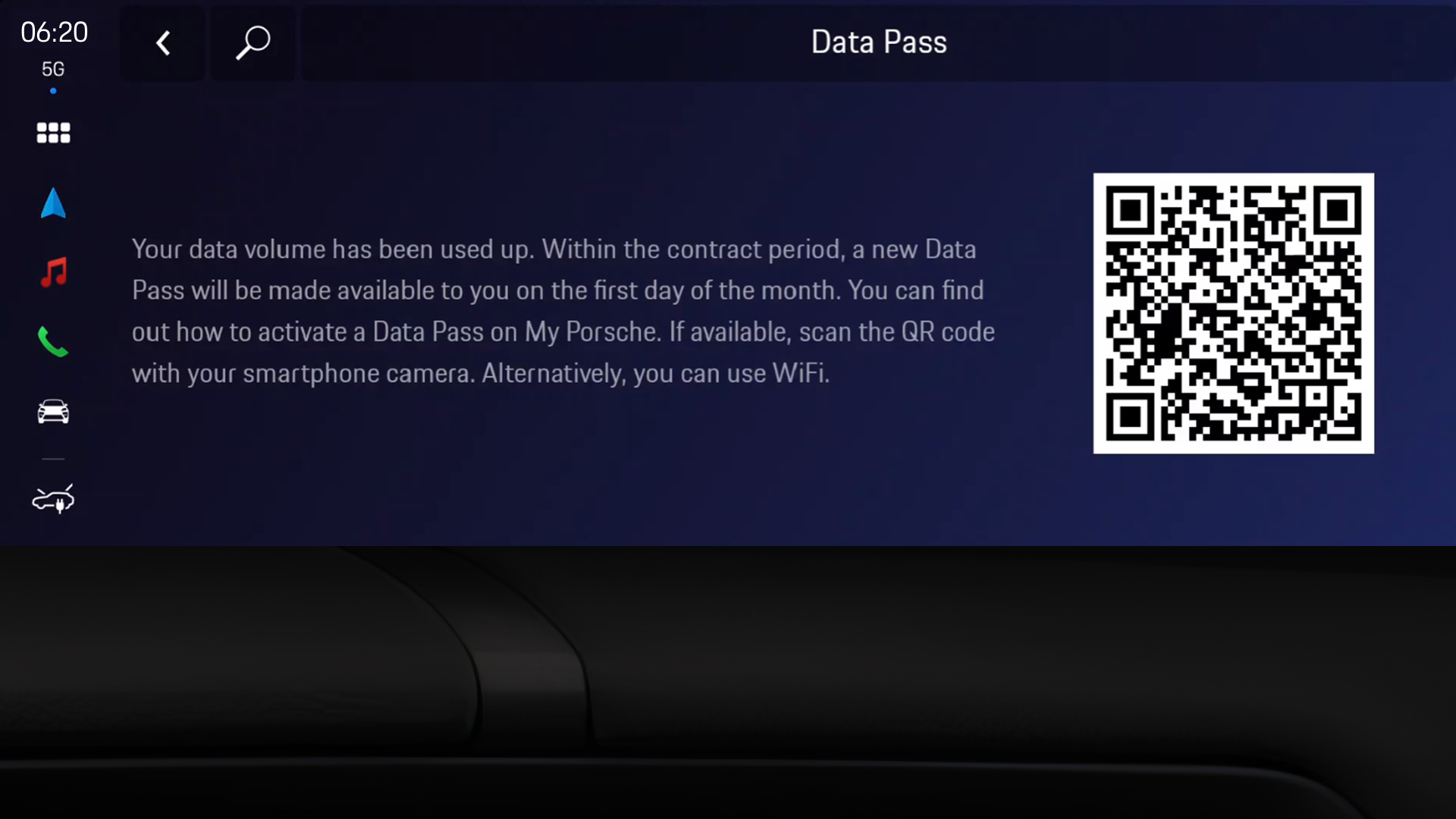
If you have used up your data allowance, you will receive a notification in the Porsche Communication Management (PCM) infotainment system and in the My Porsche app. If you require additional data after your Data Pass is exhausted, you have the option to purchase a top-up data package. This will provide you with additional data to continue usage. The price of each package can be seen after logging into the provider portal.
Once you have successfully purchased additional data volume, you can check the data volume in the My Porsche app under the Data Pass section. The additional data volume can be used until the end of the coming month.
Alternatively, you can start the purchasing process for additional data volume in the PCM by accessing Settings > Data Pass > scan QR code with your mobile phone > You will be redirected to the provider portal for the purchase. Please follow the instructions there. Please note, the QR code will only be shown if 80% or more data is consumed.
You cannot suspend your Data Pass contract alone as it is tied with your Porsche Connect services.
However you can cancel both contracts ( Connect & Data Pass) by going to the Connect Store, select "My active contracts" then click "Cancel Contract" in the Porsche Connect section.
Please note that if you are currently within the trial period of the Porsche Connect services with your new vehicle, the services will still be terminated along with your vehicle; however, since the trial period has already begun, its validity will continue to run until it expires.
Your Data Pass is included for four years without any additional costs. After four years, you will be notified about the expiry of your Data Pass. You can then purchase monthly data plans from the provider’s website.
You cannot cancel your Data Pass contract alone as it is tied with your Porsche Connect services.
However you can cancel both contracts ( Connect & Data Pass) by going to the Connect Store, select "My active contracts" then click "Cancel Contract" in the Porsche Connect section.
Please note that if you are currently within the trial period of the Porsche Connect services with your new vehicle, the services will still be terminated along with your vehicle; however, since the trial period has already begun, its validity will continue to run until it expires.
You can also always check your remaining data allowance in the PCM or in the My Porsche app.
My Porsche app

Porsche Communication Management
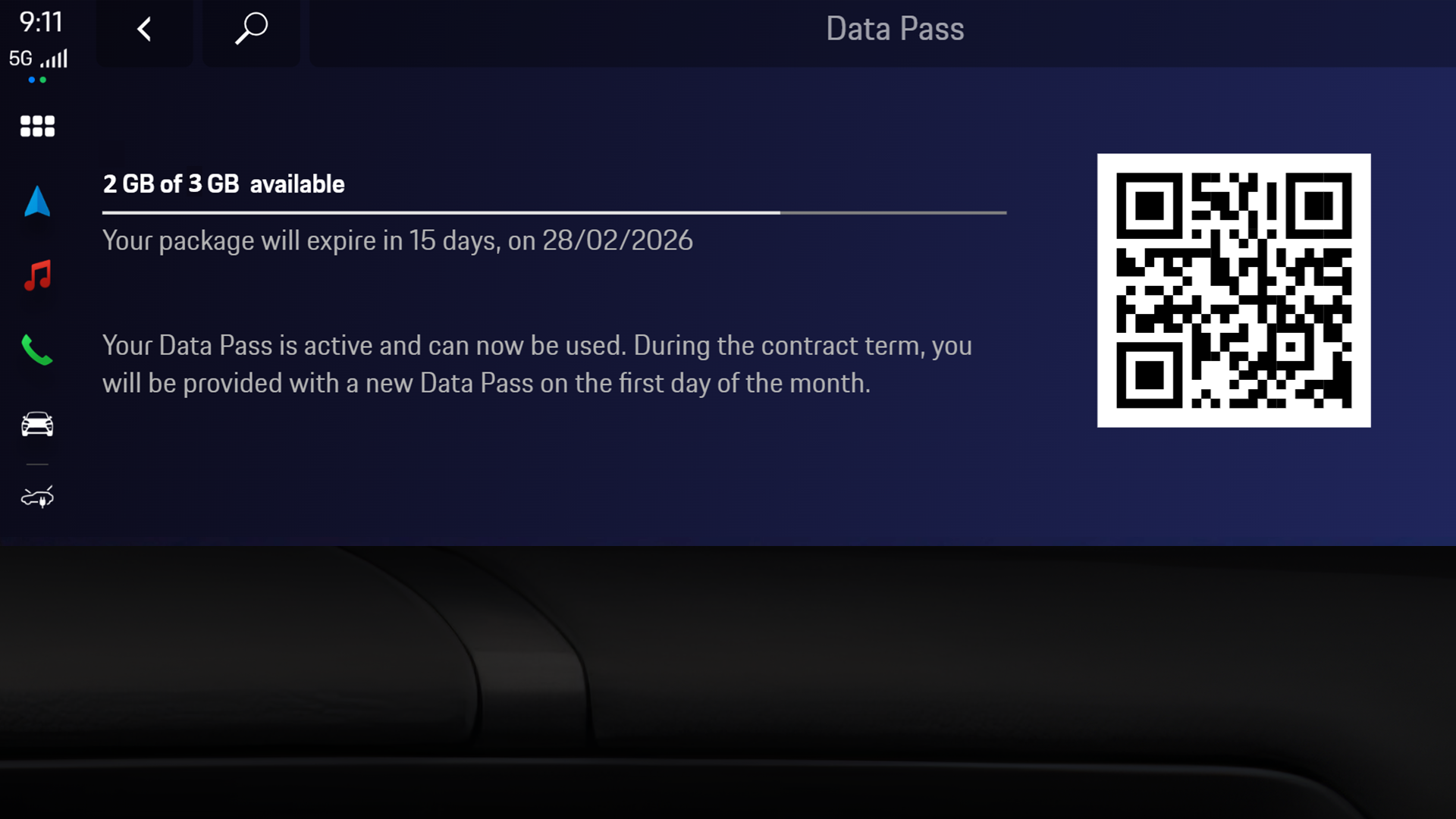
You will receive a notification in the PCM and My Porsche app when the data volume is used up. A yellow connectivity icon will also appear on the home screen of the My Porsche app. By clicking on this icon, you will get further information and the possibility to redirect to the provider website.
In this case, a QR code is additionally displayed in the car that will lead to the data top-up option.

With the Data Pass your car can create a Wi-Fi hotspot for up to eight devices allowing them to access the internet. To create a vehicle hotspot you need to:
Your Porsche Connect services trial includes the Data Pass for a period of 4 years. Following this term, the Data Pass will be available as an optional service.
If you want to use the App Centre, download and use third-party apps or access the Internet via the in-car Wi-Fi hotspot, we recommend you use the Data Pass. Alternatively, you can create a mobile hotspot via tethering.
Your Data Pass is linked to your Porsche ID, so it isn’t car specific. Each car supporting the Data Pass (model and model year specific) can be activated for the Data Pass and comes with included data allowance.
If your Porsche ID is linked to multiple cars that support the Data Pass, and the Data Pass is activated for all of them, the monthly data allowance will be accumulated and shared across those cars.
As an alternative to the Data Pass you can also connect the car to your smartphone hotspot (also known as tethering) or use other available Wi-Fi networks.
To connect your car to a Wi-Fi network:
For future use of Wi-Fi tethering, you will need to activate personal/mobile hotspot on your device and the PCM will automatically connect to it.
Your Porsche Connect services and driver assistance features can be used without the additional Data Pass. To ensure functionality please check if your connectivity is activated:
If you activate this option, you will no longer be in private mode. Please make sure that you are logged in with your Porsche ID and have sufficient network coverage. Your Porsche Connect services and driver assistance features might not work if you are in a different country.
Please check if your Porsche Connect services are activated in the PCM:
For the App Center and Radio Plus to work you will need to be logged in, have sufficient network coverage and remaining data allowance.