You are currently viewing content for the location:

Canada / English

Close country selector banner

How can I get an overview of my charging history?

With the My Porsche app, you can see an overview of all public charging sessions in your current subscription.

This article applies to all electric makes and models

Table of Contents

  1. Where can I find my charging history?
  2. Where can I find Porsche Charging Service prices?
  3. How can I get an overview of my Porsche Charging Service contract?
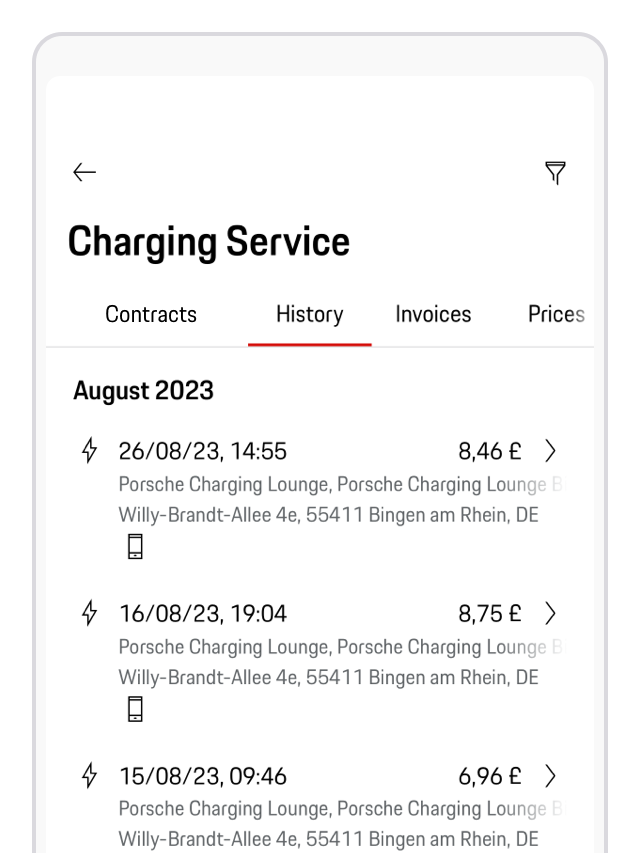
Where can I find my charging history?

Open the My Porsche app ( download via the Apple® App Store® /Google Play™ Store) and log inOn the home screen, tap the document icon below your vehicle Tap History to view your public charging sessions in chronological order. Select any session to view detailed information 

An overview of Porsche Charging History in the My Porsche app

Where can I find Porsche Charging Service prices?

Open the My Porsche app On the Home screen, tap the document icon below your vehicle Tap Prices to view detailed charging rates for public sessions 

How can I get an overview of my Porsche Charging Service contract?
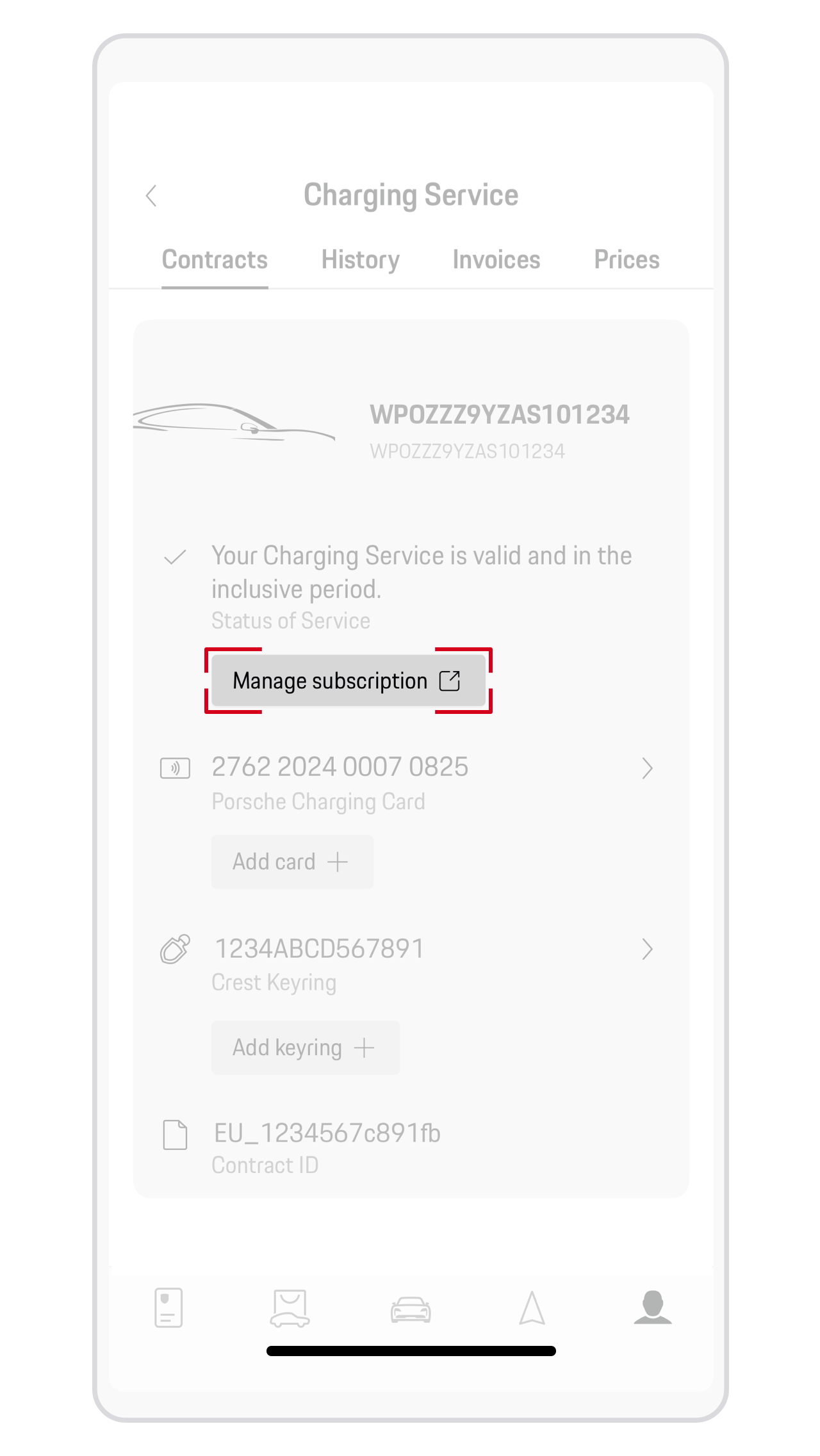
Open My Porsche app (Apple App Store/Google Play Store) (Login required). On the Home screen, tap on the document icon below your car. In Subscriptions, you can see the status of your Charging Service contract.Select Manage subscription to see more contract details.

My Porsche app Charging Service contract

Need further help?

If you require further guidance, we can assist you in finding the right solution.

Did you find what you were looking for?